You’re about to get on a flight, head into a dead zone, or just want to save your data plan — and there’s a YouTube video you need on your phone. The good news: you don’t have to touch a sketchy converter site to make that happen. YouTube itself has quietly built out a solid set of official offline tools over the past few years, and most people don’t know how far they actually go.
This guide walks through every legitimate way to take YouTube content offline in 2026 — what each option costs, what it actually lets you do, and where the real legal lines sit if you’re dealing with content that isn’t yours.
If you need to extract audio from a video, use this tool.
Quick Answer: What’s the Legal Way to Download YouTube Videos?
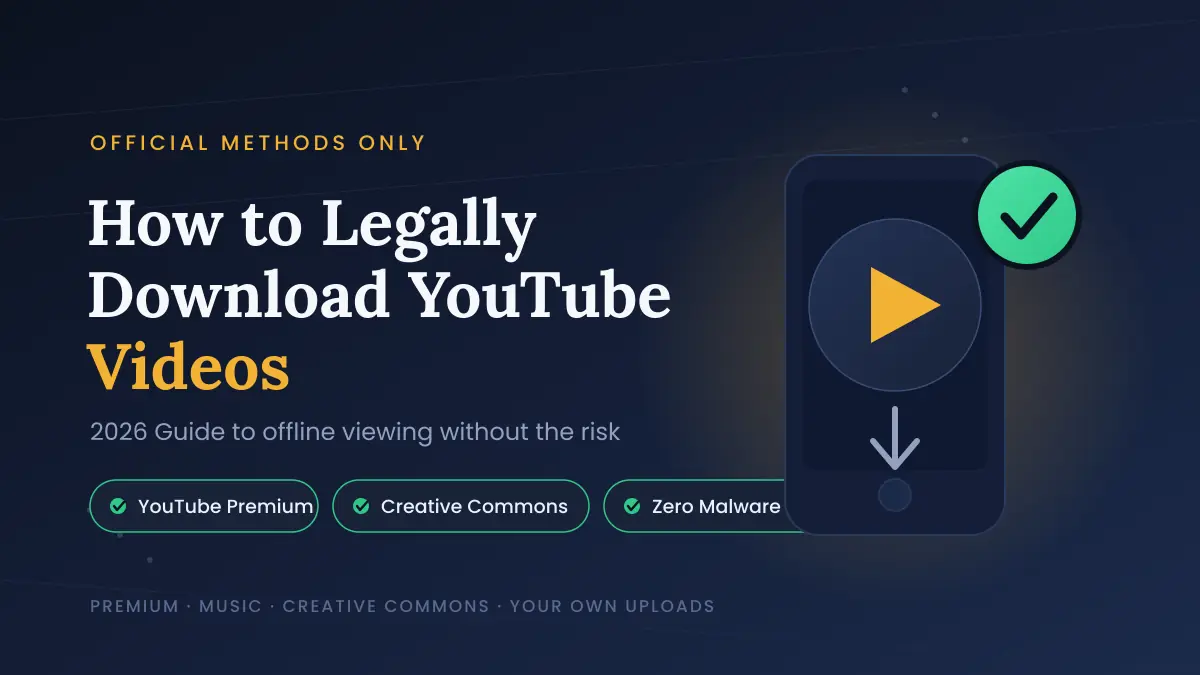
The only fully legal way to download most YouTube videos is through YouTube Premium or YouTube Premium Lite, both of which include an official in-app “Download” button. Outside of a paid subscription, you can legally save video only if you uploaded it yourself, have explicit permission from the creator, or the content carries a Creative Commons / public domain license. Third-party “YouTube to MP3” or downloader sites fall outside YouTube’s Terms of Service and, for copyrighted material, often cross into copyright infringement.
Why “Just Use a Downloader Site” Isn’t the Move
It’s worth pausing on this before getting into the how-to, because it’s the part most guides gloss over.
YouTube’s Terms of Service are explicit: you’re not permitted to download video content unless YouTube itself provides a download button for it. That’s not a technicality buried in fine print — it’s the core rule that every third-party stream-ripping site operates around, not with. On top of that, most YouTube content is copyrighted the moment it’s uploaded, whether or not it displays a copyright notice. Ripping the audio or video from something you don’t own and don’t have a license for is, legally speaking, making an unauthorized copy — the same basic issue as pirating a movie, just smaller in scale.
None of this means every download is a federal case. But it does mean the “free converter” route carries real risk: malware-laden ad networks, data logging, accounts flagged for ToS violations, and — if you’re distributing what you download — potential copyright claims. The legal methods below sidestep all of that.
Method 1: YouTube Premium — Full Offline Access
YouTube Premium ($13.99/month in the US) is the flagship option, and it’s the one built for people who want to download broadly across YouTube, not just music.
What you get:
- Ad-free viewing across YouTube
- An official Download button on nearly every video’s watch page
- Access on mobile (Android/iOS) and, more recently, directly from a browser — Chrome, Edge, Firefox, and Opera are currently supported for desktop downloads
- YouTube Music Premium bundled in automatically
How offline downloads actually work:
- Sign in to your Premium account in the YouTube app or on youtube.com.
- Open the video you want offline.
- Tap or click Download below the video player.
- Find it later under your account’s Downloads section.
A few limits worth knowing before you rely on this for a trip:
- Downloaded videos stay playable offline for up to 29 days before the app needs to reconnect and re-verify the content (some regions get a shorter 48-hour window without any connection at all).
- Files are stored encrypted and only playable inside the YouTube app — you can’t export them as standalone MP4s.
- You’re capped at 10 authorized devices at a time, and only 4 device swaps per year, so don’t burn through downloads on every phone you own.
- If a video is later pulled by its creator or hit with a copyright claim, it disappears from your downloads too.
Best for: People who regularly rewatch a wide range of YouTube content — documentaries, tutorials, vlogs — and want a “Netflix-style” offline experience without policing what’s legal to save.
Method 2: YouTube Premium Lite — The Budget Option
If full Premium feels like overkill, Premium Lite (about $7.99/month in the US) picked up offline downloads and background play in a February 2026 update — a feature that used to be exclusive to the full-price plan.
What’s included:
- Ad-free viewing and offline downloads for most non-music video content
- Background playback (screen-off listening)
- Works on both the app and the YouTube website
What’s still missing: music videos, YouTube Music streaming, and Shorts still show ads on Lite, and features like queueing and “jump ahead” remain full-Premium exclusives.
Best for: Viewers who mostly watch non-music content — news, gaming, how-tos, commentary — and don’t need the YouTube Music side of things.
| Feature | YouTube Premium | YouTube Premium Lite |
|---|---|---|
| US price/month | $13.99 | $7.99 |
| Offline video downloads | ✅ Most videos | ✅ Most non-music videos |
| Ad-free YouTube Music | ✅ | ❌ |
| Background play | ✅ | ✅ |
| Ad-free Shorts | ✅ | ❌ |
| Device limit | 10 devices, 4 swaps/year | 10 devices, 4 swaps/year |
Method 3: YouTube Music Premium — For Songs, Not Videos
If what you actually want is offline music, not full video files, YouTube Music Premium is the more targeted (and slightly cheaper, depending on region) route — and it’s bundled free with a full YouTube Premium subscription.
- Download tracks, albums, or full playlists directly in the YouTube Music app.
- Supports up to roughly 100,000 downloaded tracks per device and up to 5 devices simultaneously per account.
- Files require an internet check-in periodically (similar 30-day-style refresh cycle) to stay playable — this isn’t a permanent local MP3 library, it’s a synced offline cache tied to your subscription.
- Free-tier YouTube Music does not include offline downloads; that feature was pulled from free accounts years ago.
Best for: Anyone whose real goal is “I want my playlists on a plane” rather than “I want video files.”
Method 4: Download Your Own Uploaded Videos
If you’re a creator, YouTube gives you a direct, no-subscription way to get your own content back as a file:
- Go to YouTube Studio.
- Open Content and select the video.
- Click the Options (⋮) menu next to the video.
- Choose Download.
This works regardless of whether you have Premium, because you already hold the rights to the content — there’s no legal gray area here at all.
Method 5: Creative Commons and Public Domain Video
Not everything on YouTube is fully copyright-locked. Creators can choose to license their uploads under Creative Commons (CC BY), which explicitly permits reuse, including downloading, as long as you credit the original creator.
To check a video’s license:
- Open the video’s description.
- Look for a “Licence” line — it’ll say either “Standard YouTube Licence” (default, no downloading/reuse rights) or “Creative Commons Attribution licence (reuse allowed).”
- If it’s CC-licensed, you’re generally clear to download and reuse it, provided you credit the source per the license terms.
You can also filter YouTube search results by license: search normally, click Filters, then select Creative Commons under “Features.”
Best for: Educators, video editors, and anyone building projects that need reusable footage without a licensing headache.
Method 6: Get Explicit Creator Permission
For content that isn’t yours, isn’t Creative Commons, and isn’t covered by a Premium download, the simplest legal path is just asking. Many creators are happy to share a file directly — via email, Google Drive, or a direct download link — especially for educational or non-commercial use. This is common for course material, conference talks, and small-creator content where the uploader wants their work seen more widely than YouTube’s own download restrictions allow.
What About Fair Use?
Fair use sometimes gets raised as a blanket excuse for downloading anything “for personal use,” but that’s not really how it works. Fair use is a legal defense evaluated case-by-case — courts weigh things like whether the use is transformative (commentary, criticism, parody, education) versus a straight copy, how much of the work was used, and whether it affects the market for the original. Downloading a full music video to build a personal playlist doesn’t typically qualify. Clipping a few seconds of footage into a video essay with commentary has a much stronger case. If you’re unsure, treat fair use as a narrow exception, not a general permission slip.
Staying Safe If You Still Use a Third-Party Tool
Some readers will still end up on a converter site despite all of the above — usually for content that has no official download path and no clear license. If that’s you, at minimum:
- Never download or run an
.exe,.apk, or browser extension a converter site prompts you to install — legitimate audio/video output is a media file, not a program. - Run downloaded files through an antivirus scan before opening them.
- Use an ad blocker to cut down on the fake “Download” buttons these sites are notorious for.
- Understand that you’re accepting both a security risk and a Terms-of-Service violation, and for copyrighted material, a genuine copyright risk — this guide isn’t recommending it, just naming the reality.
READ MORE: How to Convert YouTube Shorts to MP3 (Without Getting Burned)
Frequently Asked Questions
Is it legal to download YouTube videos for personal use?
Only in specific cases: if you have a Premium subscription and use the official Download button, if it’s your own upload, if the video is Creative Commons/public domain licensed, or if you have the creator’s explicit permission. Downloading copyrighted content outside of these paths violates YouTube’s Terms of Service and can infringe copyright.
Does YouTube Premium let you keep downloaded videos forever?
No. Downloaded videos are encrypted, playable only inside the YouTube app, and expire after roughly 29 days offline (48 hours in some regions) unless your device reconnects to verify your subscription and the video’s availability.
What’s the difference between YouTube Premium and Premium Lite for downloads?
Premium Lite ($7.99/month) now supports offline downloads for most non-music video content as of a February 2026 update. Full Premium ($13.99/month) covers a broader range including music videos and includes ad-free YouTube Music.
Can I download a YouTube video without any subscription?
Yes, but only for content you have the rights to — your own uploads (via YouTube Studio), or videos licensed under Creative Commons. Everything else legally requires either Premium or the uploader’s direct permission.
Is using a YouTube to MP3 converter illegal?
It violates YouTube’s Terms of Service in every case, and for copyrighted material, it can constitute copyright infringement. Individual users are rarely pursued legally, but the tools themselves carry real malware and privacy risks, and using them isn’t something YouTube or copyright holders authorize.