Introduction
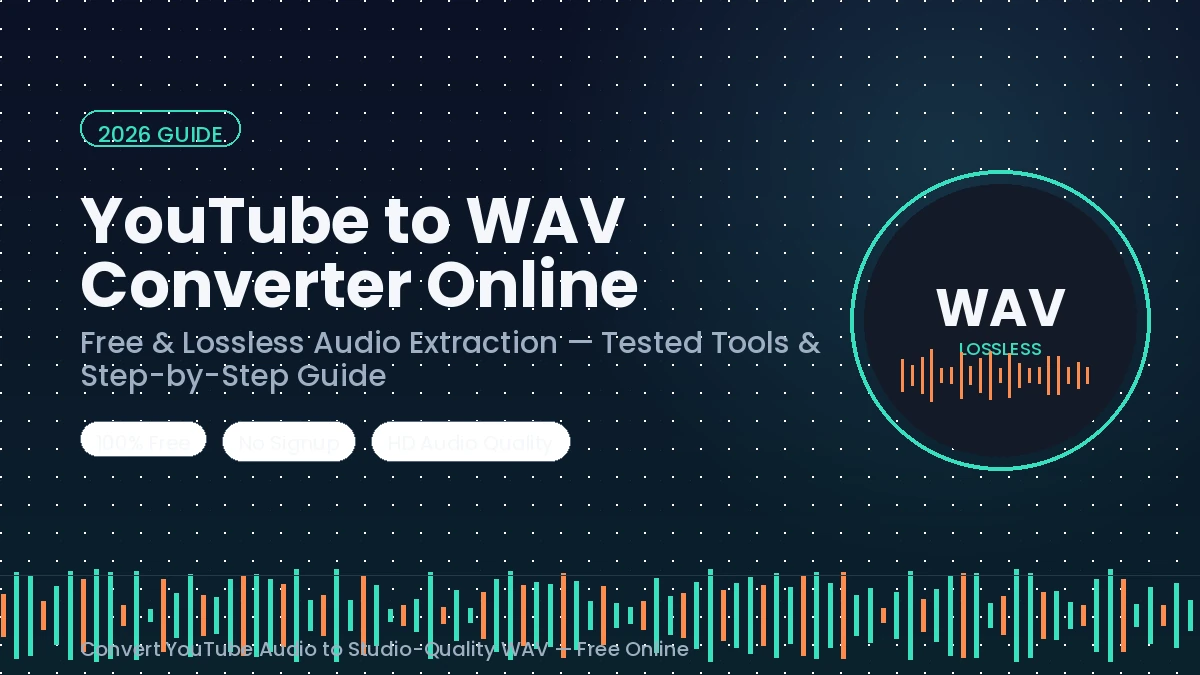
Ever downloaded a YouTube video’s audio, only to find it sounds thin the moment you drop it into an editing timeline? That’s usually an MP3 problem, not a YouTube problem. If you’re editing a podcast, chopping samples for a beat, or archiving a lecture for offline reference, a reliable YouTube to WAV converter online gets you the audio in WAV — the uncompressed format that keeps every bit of the original signal intact.
The catch: YouTube doesn’t hand out downloads. There’s no “Save As WAV” button anywhere on the platform, which is exactly why an entire category of online converters exists. Some of them work exactly as advertised. A surprising number don’t — they’ll happily label a button “WAV” and then hand you an MP3 or M4A file instead (more on that trap below).
This guide walks through what a YouTube-to-WAV converter actually does, why WAV beats MP3 for editing and archiving, which tools are currently worth your time, and — just as important — where the legal line sits so you’re not caught off guard.
Want to save YouTube audio as MP3? Check it out here.
What Is a YouTube-to-WAV Converter, Exactly?
Quick answer: A YouTube-to-WAV converter is a web tool or desktop app that pulls the audio track out of a YouTube video and saves it as an uncompressed .wav file, instead of the compressed formats (like MP3) most converters default to.
Here’s what’s happening behind the scenes: YouTube streams its audio in a compressed format — usually AAC or Opus. A converter fetches that stream, decodes it, and repackages the sound data into the WAV container, which stores every sample rather than throwing away data to save space. The typical workflow looks like this:
- Paste a YouTube link into the tool
- Select WAV as the output format
- Download the finished file
No account, no software install — at least in theory. In practice, output quality and honesty vary wildly between tools, which is why the comparison section below matters more than it might seem.
Why Convert YouTube Audio to WAV Instead of MP3?
1. Maximum Fidelity for Editing and Mixing
WAV uses PCM (Pulse-Code Modulation) encoding, which means zero data loss — the file is a faithful, sample-for-sample copy of the audio it was built from. That matters enormously if you’re loading the file into a DAW like Audacity, Adobe Premiere Pro, or FL Studio. Every professional audio editor reads WAV natively, with no decoding artifacts to fight against during EQ, compression, or noise reduction.
2. No Extra Compression Layered On Top
When you convert to WAV, you’re not adding compression — you’re simply removing it from the equation. One important caveat, and it’s one a lot of “top 10” listicles gloss over: WAV cannot restore quality that was never there. YouTube’s source audio is already compressed (AAC or Opus). Converting that stream to WAV doesn’t magically recreate the original studio recording — it just stops you from compressing it again, the way re-saving as another MP3 would. Think of it as “unzipping into a bigger, cleaner box” rather than “upgrading the contents.”
3. Universal Compatibility and Long-Term Archiving
WAV plays back correctly on essentially every device, operating system, and piece of software ever made. There’s no proprietary licensing or codec dependency to worry about ten years from now — which is exactly why archivists, radio stations, and audio engineers default to WAV (or its lossless cousin FLAC) for long-term storage.
WAV vs. MP3: The Real Quality Difference
| WAV | MP3 | |
|---|---|---|
| Compression | None (lossless) | Lossy (data discarded) |
| Typical file size (3-min song) | ~30 MB | ~3–7 MB |
| Editing suitability | Ideal — no artifacts | Workable, but can introduce noise under heavy processing |
| Best use case | Editing, mixing, archiving | Casual listening, storage-limited devices |
| Long-term degradation | None | None once encoded, but quality was already reduced at encoding |
Featured-snippet answer: WAV is an uncompressed, lossless audio format that preserves every sample of the original recording, while MP3 compresses audio by discarding sound data considered inaudible to most listeners — trading a smaller file size for a small loss in fidelity.
If you’re just listening on your phone during a commute, a high-bitrate MP3 is genuinely fine. If you’re editing, mixing, sampling, or archiving, WAV (or FLAC, which is lossless and smaller — see the FAQ) is the safer choice.
Is Converting YouTube to WAV Legal?
Short answer: it depends entirely on whether you have the right to that content.
YouTube’s Terms of Service prohibit downloading or copying videos without the uploader’s permission, and that applies regardless of what format you convert to. Using a converter on a copyrighted song, movie clip, or someone else’s monetized content is a copyright violation, full stop — the “it’s just for personal use” defense doesn’t hold up legally in most jurisdictions, even if enforcement against individuals is rare.
You’re on solid legal ground when:
- The video is your own upload
- The content is explicitly public domain or Creative Commons–licensed
- The creator has given you direct permission to download it
You’re not, when:
- You’re extracting a copyrighted song, film audio, or another creator’s monetized content
- You’re converting a YouTube Premium offline download (this breaches Premium’s terms separately from copyright law)
One more practical warning that has nothing to do with copyright: several currently-ranking “free YouTube to WAV” sites don’t actually deliver WAV at all. Independent testing throughout 2026 has repeatedly found converters that force account signups, silently substitute MP3 or M4A while the homepage advertises WAV, or route the “Download” button through an unrelated ad page. Treat any site that demands software installation, a browser extension, or an .exe download as a red flag — legitimate converters run entirely in the browser.
Best YouTube to WAV Converters in 2026
Based on current, ongoing reviews of the space (this category shifts fast — domains disappear and reappear regularly), here’s how the major players stack up:
Online / Browser-Based Tools
1. YTMP3.cc Despite the name, it reliably outputs WAV alongside MP3. Minimal interface, fast processing, no signup. Works best on standard-length videos; very long uploads or livestreams may stall.
2. YT1s.com One of the simplest workflows around — paste, select WAV, download. No account required, though it’s ad-supported, so keep an ad-blocker running.
3. OnlineVideoConverter (OVC) A longer-standing name in this space with more customization than most — you can adjust bitrate before downloading, and it supports a wide range of formats beyond WAV.
4. Convertio A general-purpose file converter (not YouTube-specific) with a clean, cloud-based interface. Free tier caps at 100MB, which covers most standard-length videos; larger files need a paid plan.
Watch for this pattern: several sites in this category use a fake “Download” button that’s actually an ad, with the real download link appearing further down the page or after closing a pop-up tab. If a click immediately opens an unrelated new tab instead of starting a download, go back and look for a second button — don’t enter any payment or personal information on the redirect page.
Desktop Software (Better for Frequent or Batch Use)
5. 4K Video Downloader Free, cross-platform (Windows/Mac/Linux), and capable of pulling entire playlists or channels in one pass, saving audio directly as WAV at the best available quality. Because it processes locally, there’s no browser ad exposure.
6. yt-dlp + FFmpeg The command-line route. More setup work, but it’s actively maintained, free, and gives you full control over output quality — a solid option if you’re comfortable with a terminal and need something that won’t disappear overnight the way many web converters do.
Practical takeaway: if you convert audio occasionally, a browser tool is fine. If you’re doing this weekly, downloading full playlists, or need guaranteed WAV output without gambling on which site is honest this month, desktop software is the more reliable investment of your time.
How to Convert YouTube to WAV: Step-by-Step
- Copy the video URL. Grab it from the browser address bar — standard
youtube.com,youtu.be, and Shorts links all typically work. - Open your chosen converter and paste the link into the input field.
- Select WAV as the output format. Don’t assume it’s pre-selected — many tools default to MP3.
- Start the conversion and wait. This takes anywhere from a few seconds to a couple of minutes depending on video length and server load.
- Download and verify. Save the file, then actually play it back before you close the tab. If it’s cut short, silent, or clearly compressed despite the WAV extension, try a different tool.
That’s the entire process on nearly every legitimate converter — paste, select, convert, verify.
Tips for Higher-Quality, Safer Conversions
- Check the actual bitrate, not just the file extension. Genuine CD-quality WAV runs at 1411 kbps (44.1kHz/16-bit). Some sites label a file “WAV” while actually delivering something compressed underneath — renaming the extension doesn’t add back the missing data.
- Use the preview/play button before downloading, if the tool offers one, to catch corrupted or truncated files early.
- Stick to HTTPS sites that explicitly state “no signup” and “no software install.” Anything pushing a browser extension or desktop installer beyond the stated conversion tool is a risk you don’t need to take.
- Split very long videos or use desktop software if a converter times out — most browser tools cap out around the 1–2 hour mark.
- Consider FLAC as an alternative when storage space is a concern — it’s also lossless but roughly half the file size of WAV, which matters if you’re archiving a large library.
Common Mistakes to Avoid
- Assuming a “YouTube to WAV” tool actually delivers WAV — verify the output before deleting your original browser tab.
- Clicking a “Download” button that opens a new ad tab instead of starting a file transfer.
- Converting copyrighted music, films, or another creator’s monetized content without permission.
- Skipping playback verification and only discovering a corrupted file later, mid-edit.
- Using outdated command-line tools (like an old
youtube-dlbuild) that break after a YouTube-side update — keep tools current if you go the desktop route.
Conclusion
WAV remains the right call whenever fidelity actually matters — editing, mixing, sampling, or long-term archiving all benefit from audio that hasn’t been squeezed twice. Getting there from YouTube is straightforward in principle: paste a link, pick WAV, download, verify. The friction in 2026 isn’t the process — it’s finding a converter that does what its homepage claims instead of quietly handing you a relabeled MP3. Stick to browser-based tools with no forced signup for occasional use, lean on desktop software like 4K Video Downloader or yt-dlp for anything frequent or batch-sized, and keep the legal boundary in mind: your own content, public domain material, and explicitly licensed videos are fair game — everything else needs the creator’s permission first.
READ MORE: How to Convert YouTube to MP3 on iPhone: Legal Ways & Best Tools
FAQs
Is it legal to convert YouTube videos to WAV?
Only if you have the right to the content — your own uploads, public domain material, or videos you have explicit permission to use. Converting copyrighted content without authorization violates both copyright law and YouTube’s Terms of Service.
Does converting to WAV improve YouTube’s audio quality?
No. WAV preserves whatever quality was already present in YouTube’s source stream (typically compressed AAC or Opus) — it can’t add back detail that was never captured in the first place. It simply avoids compressing the audio any further.
What’s the real difference between WAV and MP3?
WAV is uncompressed and lossless, storing every audio sample. MP3 is compressed and lossy, discarding some data to shrink file size. WAV is the better choice for editing and archiving; MP3 is fine for casual, storage-limited listening.
Do I need to install anything to convert YouTube to WAV?
No — most reputable online converters run entirely in the browser with no signup or install required. Desktop tools like 4K Video Downloader do require installation but offer more control and handle batch/playlist downloads better.
Can I convert a full YouTube playlist to WAV at once?
Most browser-based converters only handle one video at a time. For playlists, desktop software (4K Video Downloader) or command-line tools (yt-dlp) are the practical option.
Why did my “WAV converter” give me an MP3 or M4A file instead?
Some sites advertise WAV support to rank for the keyword but only actually output MP3 or M4A, especially on their free tier. Always verify the file’s real format and bitrate after downloading rather than trusting the extension alone.
Is FLAC a better option than WAV?
Both are lossless, so audio quality is identical. FLAC compresses the file size (often around half of WAV) without losing any data, making it a better pick for storage-conscious archiving. WAV remains the standard for direct DAW editing.